 ClockLog
A work log, for you.
Your workday.Your own record.
Keep arrivals, departures, and time at work on your iPhone. Look back at your days, then put a month into a PDF when you need to share it.
Manual logging is free. Automatic logging and PDF export require Pro.
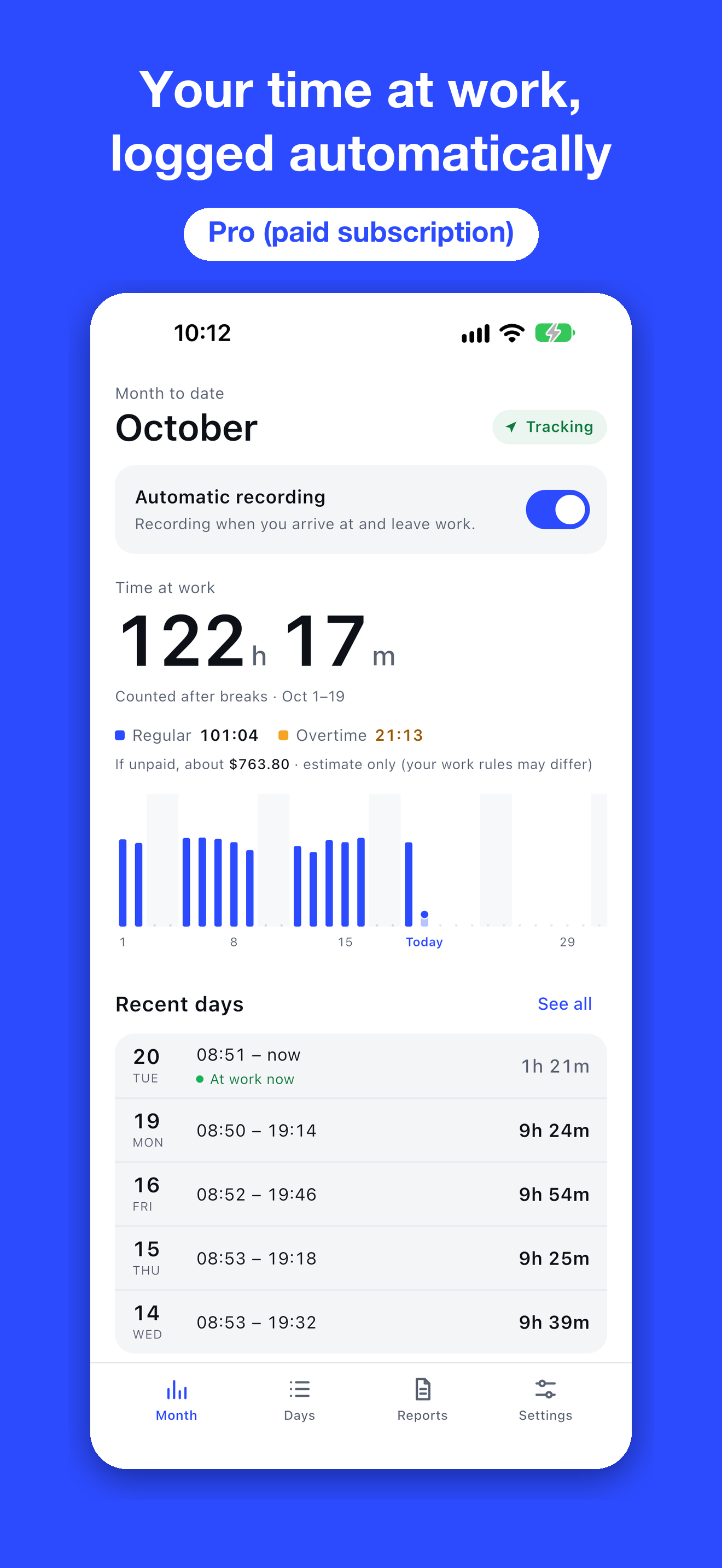
Easy to keep. Easy to revisit.
Make your timea visible record.
Start with the Arrived and Left buttons. Move to Pro when you want your workplace arrivals and departures logged automatically.
- 01
Less effort, day after day.
Record with a tap for free. With Pro, use your iPhone’s location to log when you enter and leave your saved workplace.
Manual: free / Automatic: Pro - 02
See the shape of your month.
Review daily hours and monthly totals. Deduct breaks or correct times while keeping the original automatic records.
Daily and monthly summaries - 03
Take your records with you.
Export all your records as CSV for free. Pro also lets you export and share a monthly PDF report.
CSV: free / PDF export: Pro
A clear record to share.
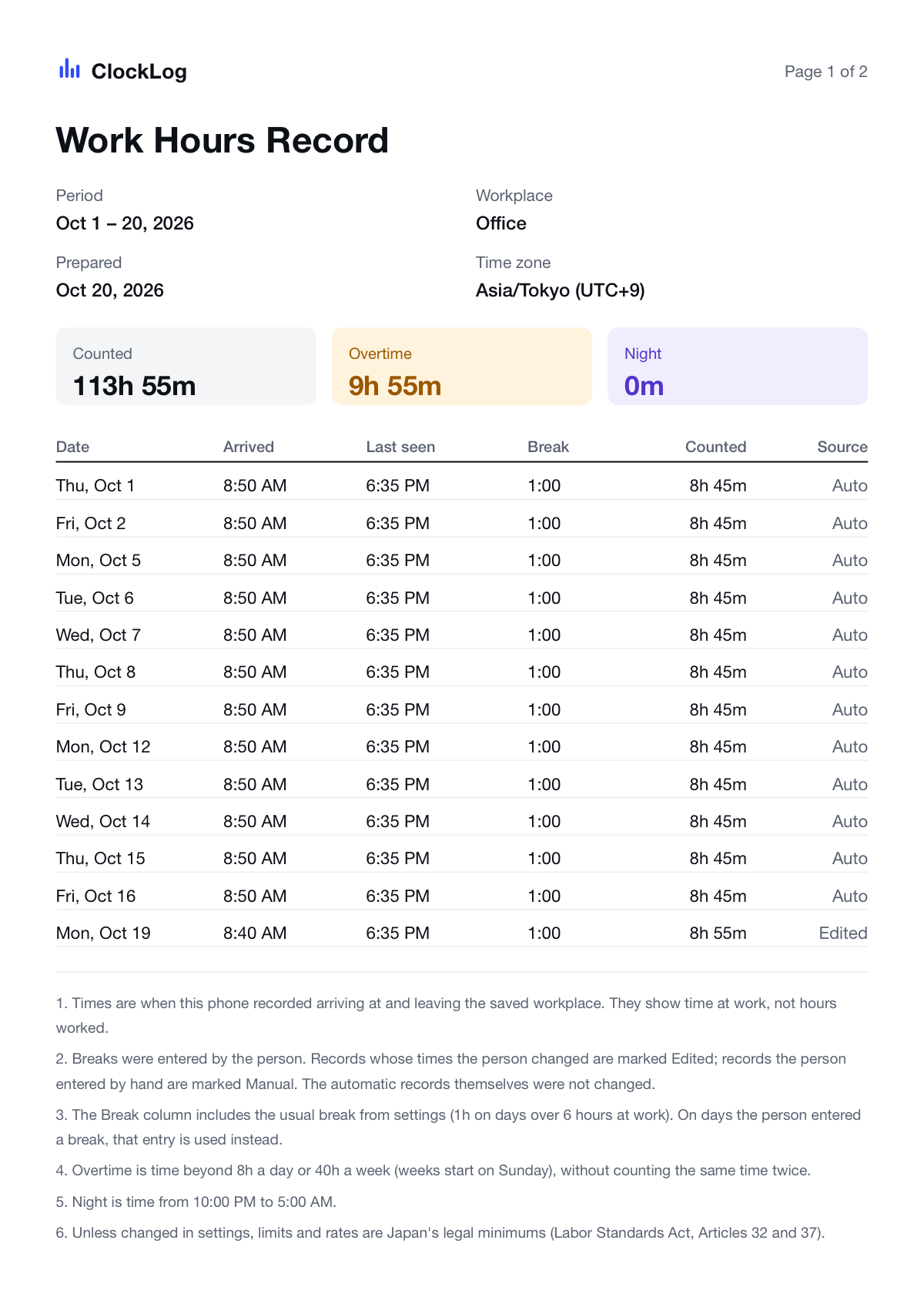
Pro · PDF export and sharingA month of details.One tidy report.
Bring dates, times, breaks, and totals together. Review the report yourself before sharing it or using it for a discussion.
- Automatic, manual, and edited entries are distinguished
- How records were made is included
- No workplace address or coordinates in the report
The free plan includes an in-app preview of this month’s report.
Choose what fits your day.
Start for free.Go Pro when you need more.
From a simple manual log to automatic recording and shareable reports.
| Feature | FreeStart with manual entries | ProAutomatic recording. More room to look back. |
|---|---|---|
| Arrived and Left buttons | Included | Included |
| Records and monthly totals | Last 31 days / this month | Any period |
| Export all records as CSV | Included | Included |
| Automatic location-based logging | — | Included |
| PDF reports | This month’s preview | Export and share |
| Overtime pay estimates | — | Included* |
Pro is an auto-renewing monthly or yearly subscription. Check the purchase screen in the app for current prices and renewal terms. *Estimate availability depends on your region and settings.
Your records.On your iPhone.
Your location and records are not sent to the developer’s servers. There is no account to create. Share a PDF or CSV only when you choose to.
Third-party services handle purchases and anonymous usage statistics. You can turn usage statistics off in Settings.
A few useful answers.
Can I start without paying?
Yes. Use the Arrived and Left buttons, view the last 31 days and this month’s total, and export all records as CSV for free.
What does automatic logging need?
A Pro subscription, a saved workplace, and Always and Precise Location permissions. Detection may be delayed by several minutes or more than ten minutes. Force-quitting the app may prevent recording.
Does this prove my hours worked?
The records show time at a workplace, not necessarily time actually worked. Legal acceptance is not guaranteed; the receiving party or authority decides how the record is treated.
Start with today.Keep a record for yourself.
Begin with free manual logging.
Get on the App Store